Guides · 7 min read
Why AliExpress Coupons Depend on Your Delivery Region
A Global or WW promo label is not a US-wide guarantee. Official AliExpress coupon terms tie eligibility to ship-to country, and a current partner-feed example of WW 11.11 codes excludes United States delivery—so verify the order Summary, not the headline.
If you shop AliExpress from the United States, it is easy to treat a “Global” or “WW” promo as a code that should work on any English checkout. That shortcut is how shoppers end up pasting a real-looking string into the promo field, watching it fail, and assuming the code is fake. Often the code is real—and still not valid for a United States delivery address.
Delivery region decides eligibility more often than shoppers expect. Official AliExpress coupon terms already say so, and a current partner-feed example of worldwide 11.11 codes can exclude US ship-to even when the title sounds global. None of what follows is a live coupon list or a checkout test log.
Official terms already tie coupons to ship-to country
AliExpress’s Coupons Terms & Conditions (updated 2026-09-07) are explicit: coupons may not be used for certain regions and/or shipping methods, as AliExpress may decide from time to time. The same section adds that a coupon may be used only if the country in the buyer’s delivery address at checkout matches the buyer’s ship-to country at the time the coupon was issued.
- Region and shipping-method limits can sit on top of a code that still looks valid in English.
- The delivery-address country at confirm order is what matters—not a blog’s “worldwide” headline.
- Coupon-specific terms (minimum spend, validity window, excluded products) still apply on top of the geographic rule.
- Promo codes generally cannot be combined with another AliExpress promo code on the same order.
Those rules are why a US shopper should set ship-to to the real destination before comparing prices or testing codes. Changing only the display currency, or shopping while a VPN points at another country, does not rewrite the delivery address AliExpress will check.
A WW or Global label can still exclude the United States
Platform sale windows and coupon geography are not the same thing. AliExpress announced that its 2026 11.11 Global Shopping Festival for US consumers runs November 1–18 (PR Newswire release). That is an official event window for US shoppers. It does not mean every “WW” or “Global” promo code circulating during those dates is valid on a United States delivery.
A read-only Admitad export of the AliExpress WW program, fetched at 2026-11-14 15:01 Asia/Shanghai, included an active “11.11 Sale WW codes” series (letter-O OTD… codes) with feed dates of 2026-11-01 00:00:00 through 2026-11-18 23:59:00. Admitad timestamps carry no timezone, and this export was not checkout-tested. The useful part is the terms text, not the idea that you should paste those strings today.
- Titles call them WW / 11.11 codes, which sounds universal.
- The feed’s region list can even include US as a country code.
- The conditions text still says the codes are for others, excluding ship-to destinations that include the United States—plus a long list of other markets such as the UK, Canada, Australia, Brazil, Spain, and much of the EU.
- That contradiction is the lesson: a “worldwide” field or title is not the same as “valid for your delivery address.”
How this shows up in ElkTop 2.1.1
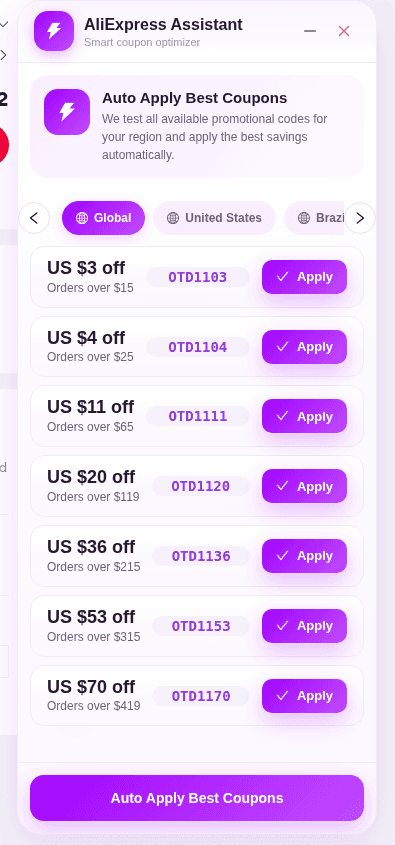
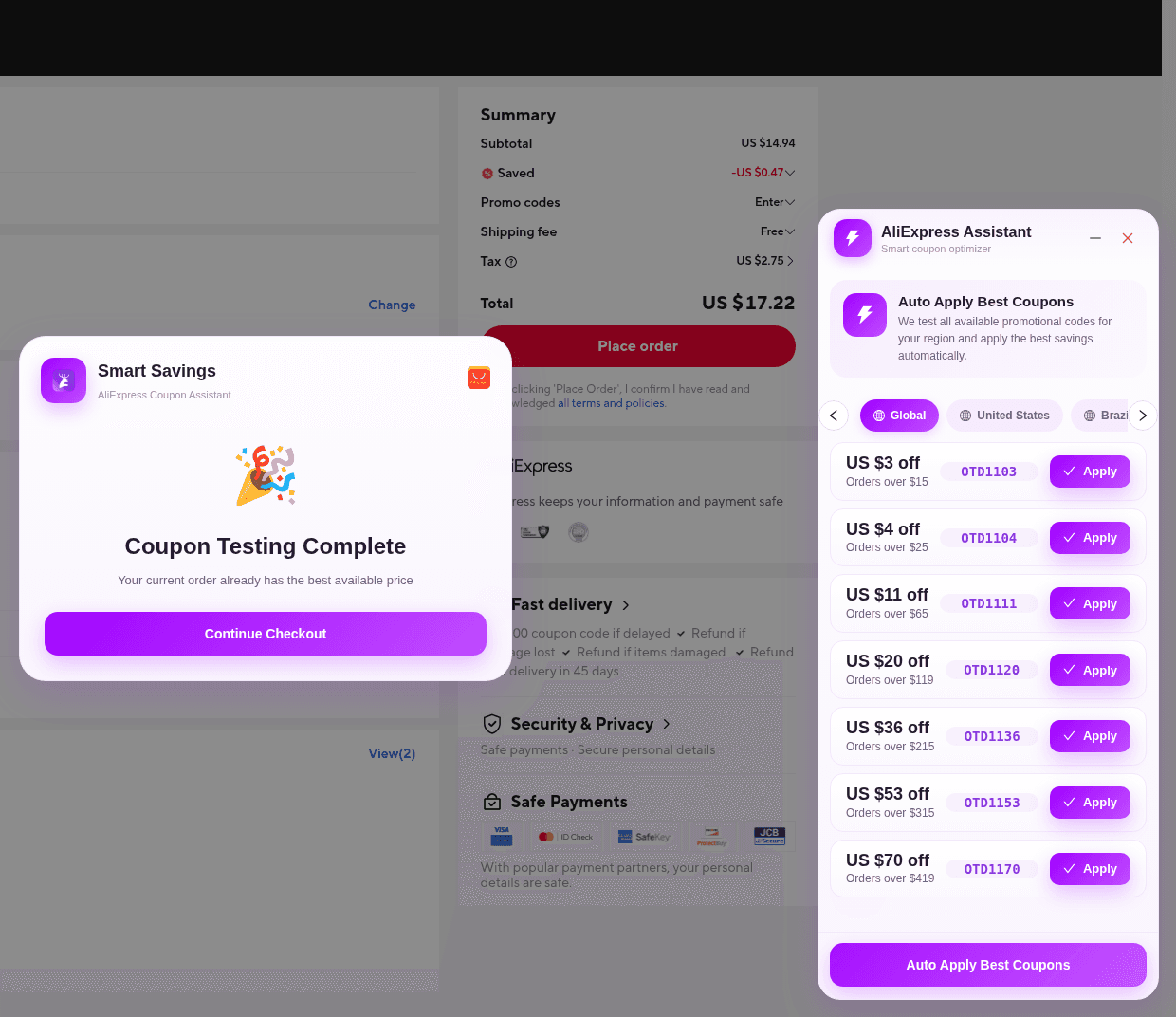
On the AliExpress confirm-order page, ElkTop 2.1.1 mounts AliExpress Assistant / Smart coupon optimizer. The panel has region tabs such as Global, United States, and Brazil, plus Apply on each card and Auto Apply Best Coupons. The toolbar popup on an AliExpress tab is AliExpress Coins—not the place to apply checkout codes. There is no coupon overlay on the product listing.
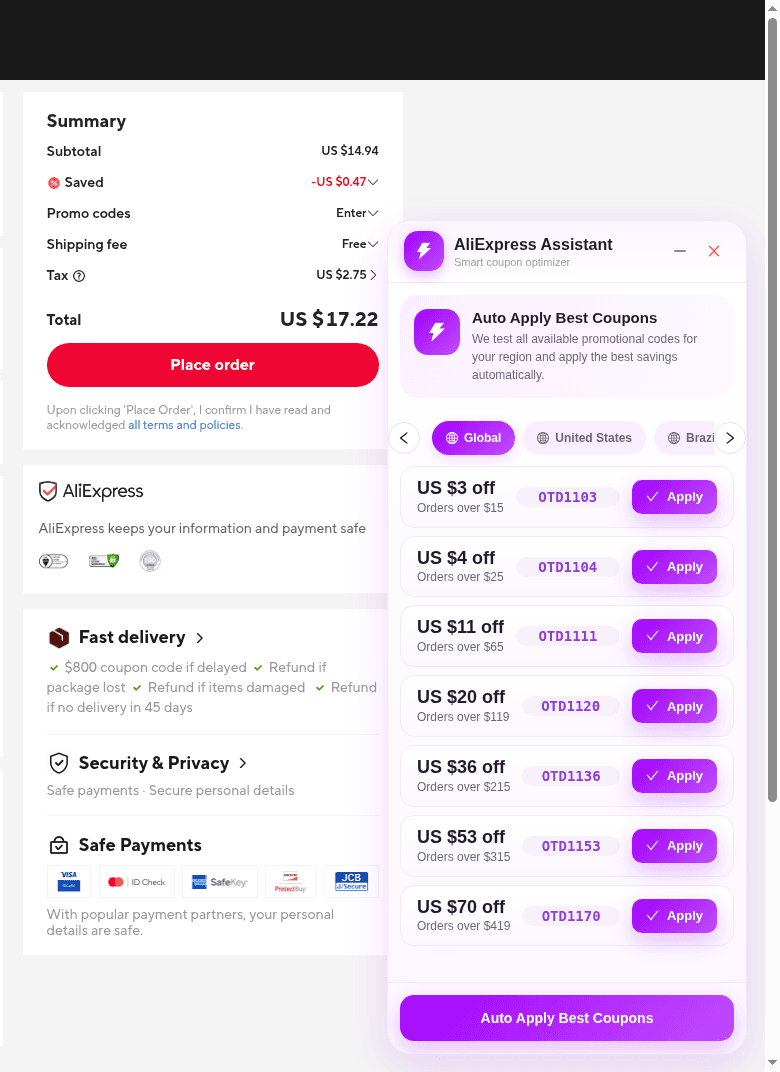
- Match ship-to and the region tab to how you are actually checking out. US delivery usually means using the United States tab when it appears—not ignoring it because Global is already selected.
- Global in the extension is a list grouping from the capture session. It is not a promise that every code in that list is valid worldwide.
- Use Apply for one code, or Auto Apply Best Coupons for a region pass, then read Smart Savings and the AliExpress Summary.
- If a WW-looking code does not change Saved or is rejected, treat that as an eligibility miss. Do not keep pasting it from an old screenshot.
A practical US-shopper check before you trust a “global” code
- Set AliExpress ship-to to your real United States destination and open the product you actually want.
- Go to the confirm-order page with ElkTop enabled. That is the only surface where Apply / Auto Apply Best Coupons run in version 2.1.1.
- Prefer the United States region tab when it is available; use Global only as another list to test—not as a worldwide guarantee.
- After Apply or Auto Apply, compare Subtotal, Saved, shipping, tax (if shown), and Total on the AliExpress Summary.
- If the discount is missing, check official coupon terms and the offer’s own conditions. Geographic exclusions, minimum spend, and product exclusions are all normal reasons to stop.
- Skip third-party “working worldwide codes” lists that never mention ship-to country.
For the checkout click path, see How to Use ElkTop on AliExpress Checkout. For a broader US promo-code workflow and common soft failures, see AliExpress Promo Codes for US Shoppers. Start either workflow with the same question: is this offer actually eligible for my delivery address?
Sources
- AliExpress Coupons Terms & Conditions (updated 2026-09-07) — region / shipping-method limits and delivery-address match
- AliExpress 11.11 Global Shopping Festival for US consumers (Nov 1–18, 2026) — official event window, not a WW-code eligibility guarantee
Install ElkTop from the Chrome Web Store, open AliExpress confirm order with your real ship-to country, and read the Summary after Apply or Auto Apply Best Coupons. That check beats any WW-labeled screenshot.
Install ElkTop
Free on the Chrome Web Store—find and apply AliExpress coupons while you shop.