Guides · 8 min read
AliExpress Promo Codes for US Shoppers: Verify at Checkout
Where AliExpress promo codes come from, why US shoppers still verify the order Summary, and how ElkTop’s Apply / Auto Apply Best Coupons differs from pasting random blog codes—without fake live lists.
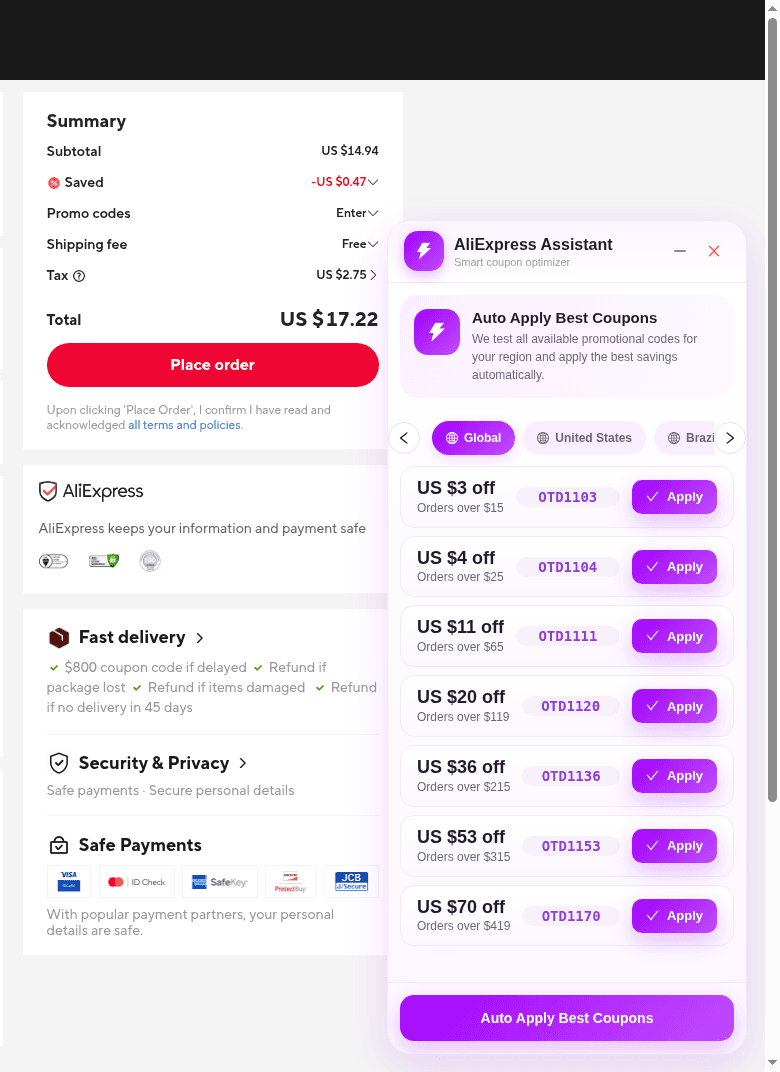
If you shop AliExpress from the United States, “promo code” is rarely one magic string that always works. Offers can be platform campaigns, seller coupons, shipping promotions, coins-style rewards, or typed codes on the confirm-order page—and many never look like a public blog list. This guide focuses on where those savings come from, what US shoppers should verify before paying, and how ElkTop’s Apply / Auto Apply Best Coupons differs from blindly pasting codes from the internet.
You will not find invented evergreen codes, percentages, or guaranteed dollar-off amounts here. Screenshot codes from 2026-11-14 are labeled as capture-date examples only.
Where AliExpress savings actually come from
- Platform campaigns: Sitewide or category events run by AliExpress, often with regional rules.
- Seller / store coupons: Store-issued discounts with minimums, new-buyer rules, or SKU limits.
- Shipping promotions: Reductions that hit shipping instead of (or in addition to) item price.
- Account entitlements: Coins, claimable coupons, or member perks tied to your logged-in account.
- Typed promo codes at confirm order: Strings entered in AliExpress’s promo field—sometimes supplied by campaigns, sometimes tested by tools like ElkTop.
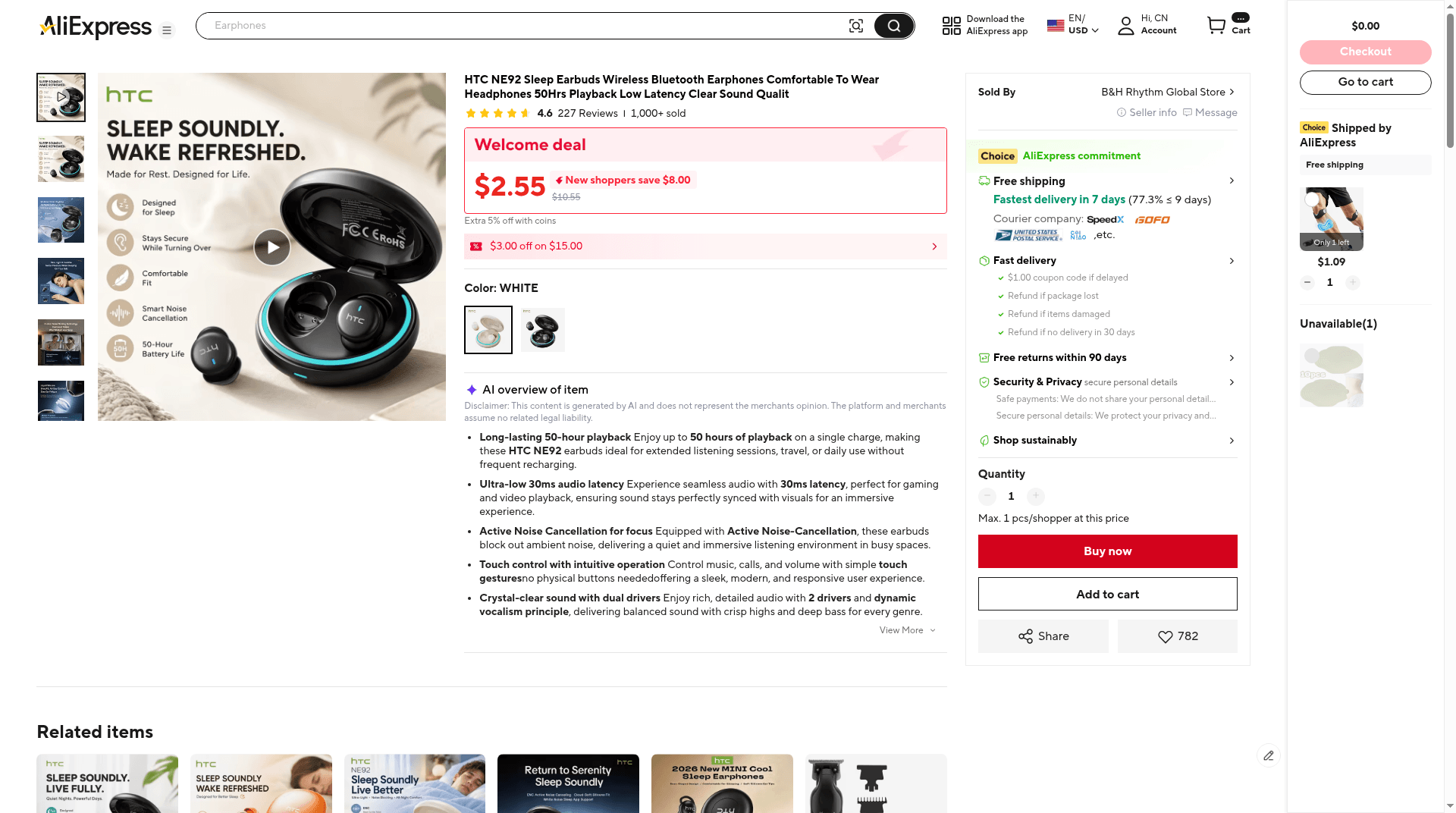
On the product page, native banners can look decisive—Welcome deal pricing, “extra off with coins,” or a small site coupon chip. Those are AliExpress surfaces. ElkTop does not overlay a second coupon UI on the listing. The meaningful code-testing surface for ElkTop is the confirm-order page.
Why US shoppers still verify at checkout
For a US address, the English order Summary is the only price you should trust. Coupons that looked available in a headline can fail soft rules once shipping method, warehouse, tax estimates, and exclusions resolve.
- Ship-to country: Confirm the United States (or your real destination). Geographic exclusions are common.
- Saved line: After any Apply / Auto Apply attempt, check whether Saved changed in a way that matches the offer.
- Scope: Note whether savings hit merchandise, shipping, or both.
- Shipping method and ETA: Faster methods can erase part of a coupon’s benefit.
- Tax and import estimates: When AliExpress shows them, fold them into landed cost—not just the couponed subtotal.
- Seller and warehouse: The same title from another warehouse can change both shipping and eligibility.
How ElkTop’s Apply / Auto Apply differs from pasting blog codes
Manual hunting usually means copying strings from aggregators, social posts, or old articles into AliExpress’s promo field. Those lists cannot see your cart, ship-to country, or whether the campaign is still live. ElkTop’s AliExpress Assistant on confirm order is built around the opposite idea: test codes that the extension associates with your region against the order you already opened.
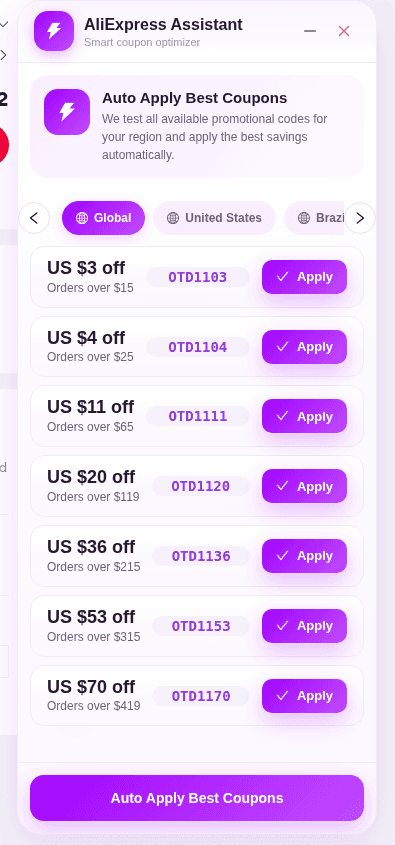
- Apply: Places that card’s code into the AliExpress promo flow for a single try you chose.
- Auto Apply Best Coupons: Tests available promotional codes for the selected region and aims to keep the best savings the order accepts.
- Region tabs: Global, United States, Brazil, and others organize which list you are testing—US shoppers should not ignore the United States tab when it appears.
- Not a product-page Activate tray: There is no “Activate” coupon panel on every listing; toolbar on AliExpress is Coins, not the code list.
In the 2026-11-14 English capture, the Global list included example cards such as US $3 off / Orders over $15 with code OTD1103, plus OTD1104, OTD1111, OTD1120, OTD1136, OTD1153, and OTD1170 at higher minimums. Treat those letter-O OTD… chips as a snapshot of UI shape—not live checkout-tested codes, and not a promise they still work on your cart. Partner-feed terms for matching WW / 11.11 OTD… series can exclude United States ship-to even when the UI label says Global, so do not describe them as US-valid offers.
Reading Smart Savings without mistaking it for payment advice
When Auto Apply finishes, Smart Savings / AliExpress Coupon Assistant can show Coupon Testing Complete. One honest outcome is Your current order already has the best available price, with Continue Checkout to dismiss the modal. That message can appear even when the AliExpress Summary already shows a Saved amount—meaning further tested codes did not beat the current total.
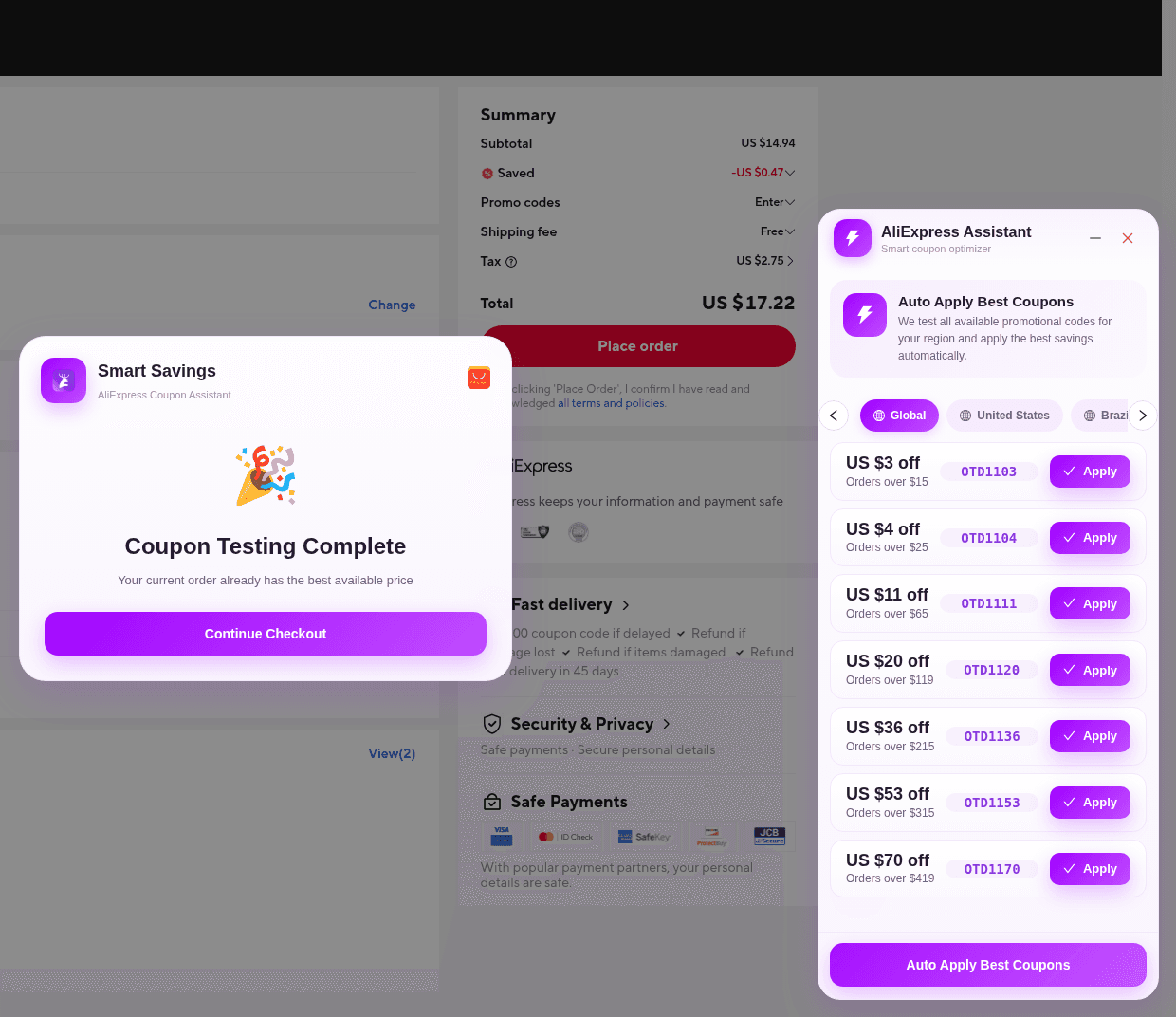
Continue Checkout is not “place order.” It returns you to AliExpress’s own confirm page. You still decide whether Subtotal, Saved, shipping, tax, and Total are acceptable. This guide will never tell you to enter payment details.
Soft failures US shoppers hit most often
- Expired or not-yet-live campaigns: Yesterday’s screenshot code can be dead today.
- Geographic exclusions: An offer may skip your ship-to country even if the English UI looks global.
- Category and brand exclusions: Electronics, digital goods, or brand shops may sit outside a general coupon.
- Minimum spend: A US $20 off / Orders over $119 card will not help a $15 cart.
- Usage caps and one-per-customer limits: Public visibility ≠ remaining inventory for your account.
- Non-stackable rules: Platform codes, store coupons, and coins may not combine the way US retail gift-card stacks do.
A US-shopper workflow that stays honest
- Set AliExpress ship-to to your US destination and pick the product and seller you actually want.
- Compare shipping time and return friction—not only the crossed-out sticker price.
- Open confirm order with ElkTop enabled; use Apply for one code or Auto Apply Best Coupons for a region pass.
- Read Smart Savings when it appears, then reconcile Saved and Total on the AliExpress Summary.
- If a code fails, adjust the cart or skip the coupon—do not chase unverified third-party lists.
- Pay only when the grand total and delivery estimate match your own expectations.
Promo codes for US shoppers work best as optional adjustments to a landed-cost decision. Find the right product first, let ElkTop test region codes at confirm order, and let the English Summary—not a blog headline—decide whether you buy.
Install ElkTop from the Chrome Web Store, keep it on your shopping profile, and use the next US checkout as a verification drill: Apply or Auto Apply, read Smart Savings, then confirm every line of the Summary before you pay.
Install ElkTop
Free on the Chrome Web Store—find and apply AliExpress coupons while you shop.