Guides · 8 min read
Coupon Offers Still Listed for US Shoppers as AliExpress 11.11 Ends
The official AliExpress 11.11 window for US shoppers runs through November 18. A fresh partner-feed read on November 17 still lists US new-user codes through December 31 and DHgate’s November set through November 30—while WW 11.11 codes still exclude US delivery. Confirm every discount at checkout; nothing here was checkout-tested.
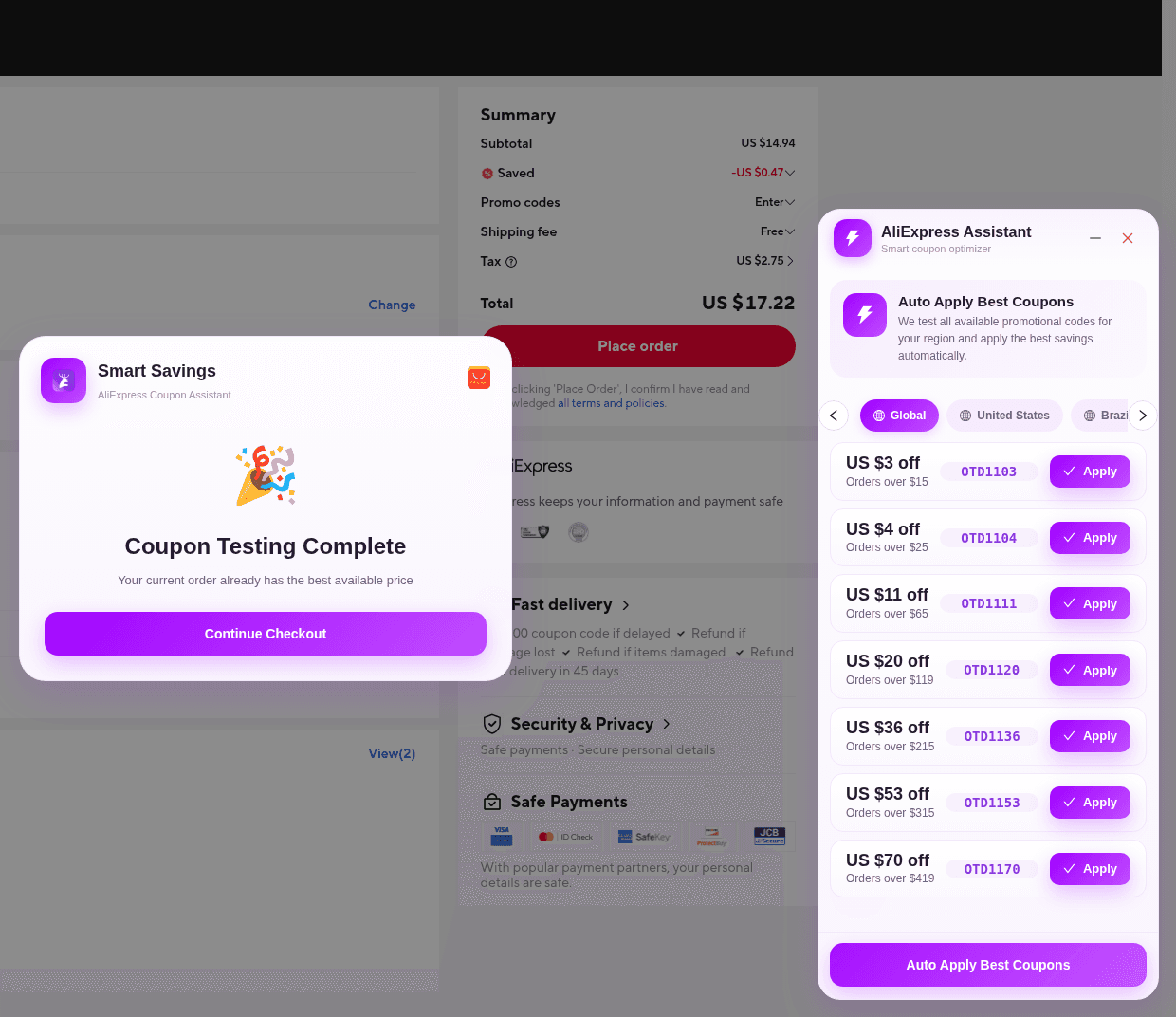
If you shop AliExpress or DHgate from the United States, the last days of a big sale are when long “working codes” lists look most tempting. Official AliExpress materials say the 2026 11.11 Global Shopping Festival for US consumers runs November 1–18. That window is real. It is not a promise that every 11.11 or “WW” string circulating this week is valid on a United States delivery.
This is a dated coupon editorial, not a rewrite of our checkout how-to, the Auto Apply surface guide, the delivery-region guide, the US promo-code workflow, or the sale-prep checklist. It answers a narrower question: as of November 17, which offers can we still point to from official terms and a fresh partner-feed read—and what should a shopper confirm before paying?
What the official 11.11 announcement actually confirmed
AliExpress’s October 29, 2026 announcement said the festival runs November 1–18, 2026 for US shoppers, via the AliExpress app or AliExpress.com. It did not publish a public list of typed promo codes. The perks it did name were eligibility-gated, and the same release said coupons are first-come, first-served, apply only to eligible items, and are subject to terms.
- Eligible shoppers paying with PayPal could receive an additional discount of up to 14%.
- Eligible new customers could buy three qualified items for $0.99.
- Saver Membership was described as offering more than $40 in monthly coupons.
- Brand+ highlights in the announcement were brand- and category-specific percentage ranges, not a sitewide markdown you can type in.
Those points are from the official event announcement, not from a checkout test today. If any of them still appear in your account or payment options, the AliExpress Summary is what counts. A partner-feed no-code action titled “11.11 Sale - Up to 80% off - 01-11-2026 - 18-11-2026 PST” was still marked active in the November 17 pull and included US in its region list. That is a sale-window label in a partner feed—not a verified price on any product.
US new-user codes still listed through December 31
The same November 17 partner-feed read still listed three active English “US New User Code” promocodes in the AliExpress WW program. The country field is US only. The titles are new-user offers, with feed dates of 2026-09-30 21:00:00 through 2026-12-31 20:59:59 (no timezone). The feed did not add extra conditions text beyond those titles. Official AliExpress coupon terms still sit on top: ship-to country must match, minimum spend is calculated on a qualifying merchandise amount that excludes shipping, taxes, and duties, and unless a coupon’s own terms say otherwise, coupons generally may not be combined with other coupons or on-site deals.
- 0003NEWUSOFF — $3 off orders over $10.
- 5NEWUSOFF — $5 off orders over $20.
- 12NEWUSOFF — $12 off orders over $80.
AliExpress decides at checkout whether your account counts as new and whether the cart meets the minimum. A returning buyer should not expect these strings to apply. Pick the tier that matches the qualifying merchandise total you actually have—not the highest number on the list—and use only one platform promo code on the order. These codes were still listed after the 11.11 event window, which is why they are more useful to name today than WW sale codes that end with the festival and exclude US delivery.
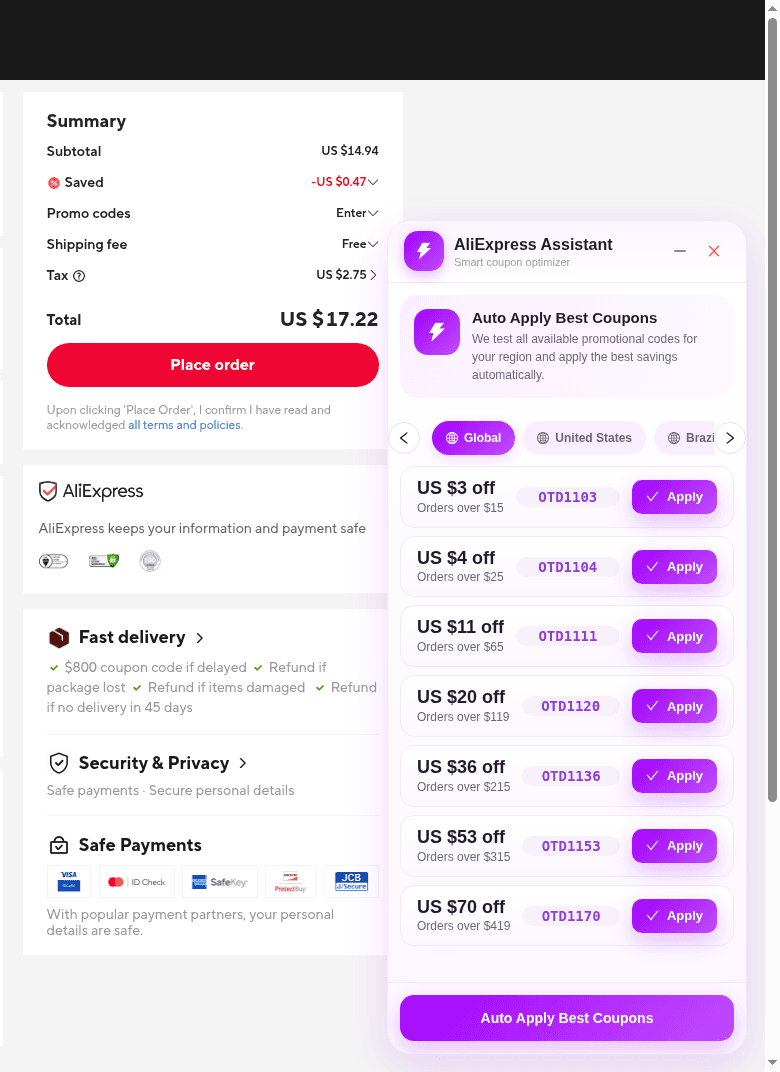
WW 11.11 codes in the same feed still exclude US delivery
The November 17 pull still included the AliExpress WW “11.11 Sale WW codes” series (letter-O OTD… strings) as active through 2026-11-18 23:59:00, with no timezone on the Admitad dates. Titles and a wide country field can make them look universal. The conditions text still says they are for others, excluding ship-to destinations that include the United States—plus a long list of other markets. That is the same terms contradiction explained in the delivery-region guide, not a new US offer. Do not paste those codes because a Global tab or a “WW” headline made them look eligible.
Other 11.11 promocodes in the same English feed were labeled for specific markets—among them the UK, Canada, Australia, Japan, Korea, Israel, the Netherlands, and a Central/Eastern European set—or carried US dollar amounts while the country list was not the United States. Those were dropped from this article. Third-party “USD11…,” “USAFF…,” and similar lists were also omitted: they were not in this joined-program feed today, and we could not confirm them on an official AliExpress storefront.
DHgate’s November set, still listed through November 30
For shoppers who also use DHgate, the November 17 partner-feed read still listed an English November promocode set in the DHgate WW program, with feed dates of 2026-11-01 00:00:00 through 2026-11-30 23:59:00 (no timezone). The feed had no country field on these rows, so they are not described here as US-only. Dollar-off amounts below follow the feed titles. A separate “10%” discount field on the same rows does not match those titles and is not used as the offer amount.
Titles described as general November codes:
- DH2026NOVSAVE6 — $6 off orders over $50.
- DH2026NOVSAVE8 — $8 off orders over $80.
- DH2026NOVSAVE10 — $10 off orders over $100.
- DH2026NOVSAVE12 — $12 off orders over $120.
- DH2026NOVSAVE16 — $16 off orders over $160.
- DH2026NOVSAVE20 — $20 off orders over $200.
- DH2026NOVSAVE25 — $25 off orders over $300.
- DH2026NOVSAVE35 — $35 off orders over $600.
- DH2026NOVSAVE45 — $40 off orders over $850 (the title amount is $40, even though the code string includes 45).
Titles described as new-user codes:
- DH2026NOV3NEW — $3 off orders over $5.
- DH2026NOV4NEW — $4 off orders over $10.
- DH2026NOV8NEW — $8 off orders over $50.
- DH2026NOV10NEW — $10 off orders over $85.
DHgate’s buyer-help coupon policy, as published in its help center, is the terms layer to read with those titles: DHcoupon codes are issued by DHgate; one DHcoupon can be used per order; the minimum is the order total excluding shipping; DHcoupon and a seller coupon may be used together; usable coupons are shown when you proceed to pay; and the system may auto-select a best match, which you can change before you place the order. Once an order number is placed, a coupon cannot be applied on the payment page. Third-party “Black Friday” DHgate strings that were not in this feed were omitted.
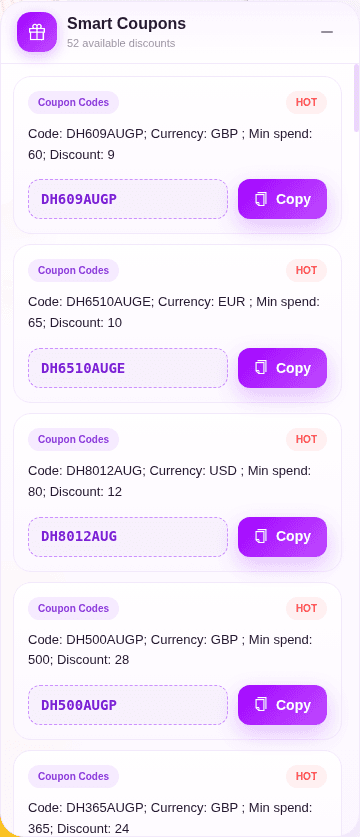
On DHgate, ElkTop 2.1.1 does not run Auto Apply Best Coupons. If Smart Coupons appears, use Copy, add or apply the code in DHgate (including My DHgate coupons, if that is how the site accepts the string), and confirm the discount on DHgate’s own cart or payment page.
How to confirm a listed offer before you pay
- Set ship-to to the address you will actually use. On AliExpress, official coupon terms tie eligibility to the delivery-address country at checkout.
- Build the cart you intend to buy. Check the offer’s minimum against merchandise subtotal, not shipping or estimated tax.
- On AliExpress, go to confirm order (`/p/trade/confirm.html`) with ElkTop 2.1.1 enabled. That is the only surface where Apply and Auto Apply Best Coupons run. Prefer the United States region tab when it appears.
- On DHgate or another supported site, use Smart Coupons + Copy, then verify in the merchant’s checkout—not in the extension panel alone.
- After a code is applied or rejected, read the merchant Summary: subtotal, Saved or coupon line, shipping, tax or duty if shown, and Total.
- If the discount is missing, stop. New-user rules, geographic exclusions, minimum spend, product exclusions, and one-code-per-order limits are normal reasons to move on—not to hunt an unverified blog list.
For the AliExpress click path, use the how-to guide. For why Auto Apply is missing on a product page, use today’s Auto Apply surface guide. For why a WW or Global label can still exclude a United States delivery, use the delivery-region guide. For the broader habit of distrusting evergreen code lists, use the US shoppers guide. This piece exists so those workflows start from what was still listed on November 17—and from the checkout total, not from a screenshot.
Install ElkTop 2.1.1 from the Chrome Web Store, open a low-stakes AliExpress confirm-order page with your real US ship-to, and practice Apply or Auto Apply until you are reading the Summary every time. If you also shop DHgate, confirm that Smart Coupons offers Copy and that DHgate’s own total changes before you pay. A feed-listed code is only a lead; the paid total is the result.
Install ElkTop
Free on the Chrome Web Store—find and apply AliExpress coupons while you shop.